Pikkola Diff
diff.pikkola.comCompare text or code in the browser with word-level highlighting; nothing is uploaded.
Curated directory · 66 tools
None of these replace your editor. They are the tools you open in a second tab while reviewing a pull request, explaining a command to a teammate, or checking that a cron expression fires when you think it does. We favour ones that work without an account and without sending your input to a server — Pikkola Diff, listed first, keeps both files in the browser tab.
12 tools
Compare text or code in the browser with word-level highlighting; nothing is uploaded.
Turn a snippet into a clean code image worth posting.
Create shareable screenshots of your source with proper syntax colour.
Build, test and get a line-by-line explanation of a regular expression.
See JSON as a graph you can navigate instead of a wall of braces.
Hand-drawn diagrams for architecture and flows, fast enough to think with.
A lightweight API client that opens in a tab, not an installer.
Offline-first API client that keeps collections as plain files in your repo.
Every API reference you need, in one searchable, offline-capable place.
Sixty small developer utilities — hashes, encoders, converters — on one page.
Turns a cron expression into a plain-English sentence.
Breaks a shell command down flag by flag, with the man page behind each one.
Try a shorter word, another category, or clear the price filter.
Six shelves, sixty-six tools
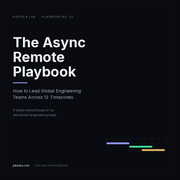 Field guide · PDF
The Async Remote Playbook
The routines, written updates and decision records that let a team spread across four time zones ship without a standing meeting.
$5 Get it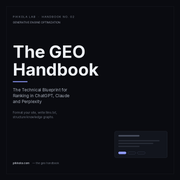 Field guide · PDF
The GEO Handbook
How answers get assembled by AI search, and what to change on a small site so it is the source that gets quoted.
$5 Get it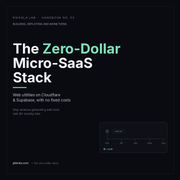 Field guide · PDF
The Zero-Dollar Micro-SaaS Stack
The free tiers, domains and deploy path we used to put five products online with no fixed monthly cost.
$5 Get itA curated directory of 66 tools for people who work remotely or build small software products: async collaboration, time zones and scheduling, developer utilities, content and SEO, social metadata, and AI. Every entry lists its pricing model and the platforms it runs on, and links straight to the product.
Two rules: we have used the tool ourselves, or we have tested the free tier we describe. Beyond that we favour tools that work without an account, keep your data in your browser where possible, and charge in a way a solo developer can afford. There are no paid slots, and no tool can buy a review.
It marks a tool built by Pikkola Lab itself — Pikkola Time, Diff, Rank and Meta. We badge them so you can tell first-party products apart from the rest of the shelf, not because they are better than the tools around them.
No. There is no sign-up, no cookie banner and no analytics script. Search, filters and bookmarks all run in your browser; the saved list is kept in local storage on your device and never sent to a server.
By the $5 field guides linked on this page, and by the other free tools Pikkola Lab builds. Placements are not for sale. If affiliate links are added later, the card will say so before you click.
Yes — email [email protected] with the name and a link. Corrections about pricing, platform support or a shutdown are the most useful messages we get, and they are usually fixed within a few days.